Boba Cafe Simulator Controls
Every key and interaction for serving drinks, running the phone, and closing your shift in Sugarville.
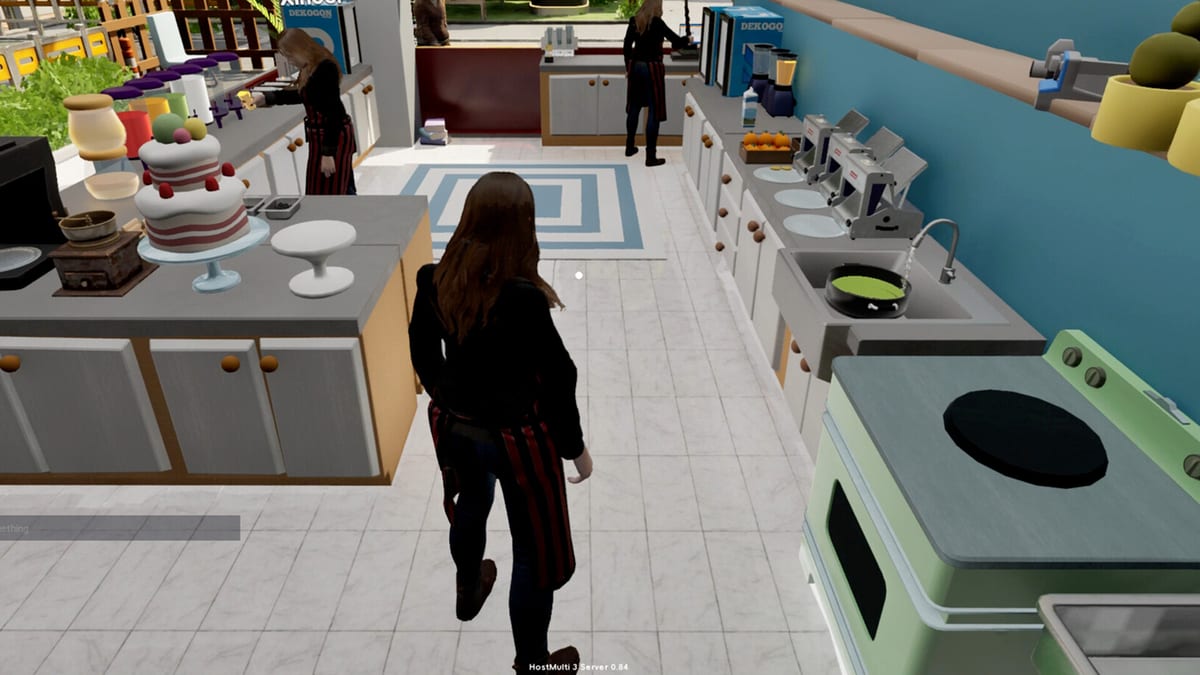
Every shift in Boba Cafe Simulator runs on a small set of first-person interactions. You move through the shop, pick up cups, operate machines, and manage the business from a pocket phone. This controls reference covers movement, the service loop, label printing, restocking through phone apps, co-op communication, and the limited gamepad support listed on Steam. If you are brand new, pair this page with Getting Started for the full day-one walkthrough.
Movement and camera
Boba Cafe Simulator uses standard first-person controls on PC. WASD moves your character forward, backward, and strafe left or right. The mouse controls look direction and is also used to aim interaction at cups, machines, customers, and furniture. Most actions require you to face the object and press E, so smooth camera control matters as much as walking speed.
When reorganizing the cafe, press Q to enter move mode for furniture. While in move mode, click to pick up eligible items, use the mouse wheel to rotate pieces, and snap counters or shelves against walls. Exit move mode before returning to drink prep so you do not accidentally relocate a sealer mid-rush. Layout tips that reduce walking distance live in the Build hub.
Core interaction keys
| Action | Input |
|---|---|
| Interact, serve, inspect | E |
| Open phone | B |
| End-of-day summary | Enter |
| Reset stuck items | Esc |
| Locate teammates (co-op) | Middle mouse button |
| Move furniture | Q (then click and mouse wheel) |
E is the most important key in the game. At the register it accepts payments and hands finished drinks to customers. While holding a cup, E inspects the order and can reveal missing lids, wrong straw types, incorrect sugar, or other problems before you discard liquid. Always inspect a suspicious cup instead of guessing what failed.
Enter opens the end-of-day summary when the shop is ready to close. The settlement screen breaks down gross sales, refunds, utility costs, delivery commissions, and popularity changes. Do not close while customers still wait or accepted orders remain unfinished — unresolved tickets hurt the next day’s reputation. See Getting Started for a safe closing routine.
The B phone: recipes, restock, and business apps
Press B to pull out your in-game phone. The Recipes app is where you list drinks on the active menu, choose cup sizes, and adjust prices within the customer happiness range. Unlocking a recipe through progression does not make it orderable until you toggle it on here. That delay is intentional: stock pearls, tea, cups, and straws before activating boba or fruit drinks.
The phone also handles Takeout contracts, Bills, Social friendship tracking, and staff management as those systems unlock. Ingredient and supply orders can be placed through phone shopping so you restock without leaving the counter during a rush. Local purchases at Mr Wong’s shop avoid delivery fees but cost travel time — compare both when planning prep in the Recipes hub.
Wallpaper and other cosmetic phone settings are optional, but the business apps are not. Treat B as your remote control for everything customers can order and everything you can afford to run today.
Patch v1.036–1.038 added a dedicated binding to close the phone without reusing the open key. If you customized controls during demo or launch week, open settings after updating and confirm phone open (B) and phone close do not conflict. Gamepad players should also verify the default button for rejecting delivery orders — Caikemi adjusted it in the same patch.
Esc item reset
When a cup clips through the counter, a box hovers in mid-air, or an interaction stops responding, press Esc to trigger the item reset added in v1.036–1.038. This recovers stuck props without abandoning the day. It does not replace good layout — if the same station traps items every rush, fix placement with Item Alignment and Best Cafe Layout instead of spamming reset.
Cup labels and the service loop
Labels are how Boba Cafe Simulator separates identical drinks with different customizations. After payment, take the correct cup size, print a label from the label printer, and attach it to the cup before adding ingredients. The label shows size, temperature, sugar level, and ice level for that specific customer.
Keep active cups in a left-to-right queue with the oldest order closest to your prep station. Three lemonades on the menu may need three different sweetness settings — never rely on memory during peak hours. Finish each cup with the correct sealing film or hot lid and the thin or wide straw the recipe requires, then press E at the counter to serve.
Perfect ratings demand correct liquid, customization, cup type, and finishing supplies. Wide straws serve boba and other toppings; thin straws cover simpler cold drinks. Missing a straw or lid fails inspection even when the tea ratio is perfect.
Co-op controls
Online co-op supports up to eight players in a shared shop. Voice and text chat are built into the lobby flow. During service, middle mouse button helps locate teammates when everyone is spread between delivery prep, fruit cutting, and the register.
Co-op does not split the control scheme — every player uses the same E, B, and label workflow. Assign roles verbally: one partner on pearls and tea, another on register and inspection, a third on delivery bags once takeout unlocks. Role specialization is covered in Getting Started and the broader Guides hub.
Partial controller support
Steam lists Partial Controller Support for Boba Cafe Simulator. A gamepad can handle basic movement and some interactions, but fine drink prep — label timing, precise dispenser stops, furniture rotation — still assumes mouse and keyboard. If you play primarily on controller, keep a mouse nearby for phone menus and inspection prompts until you confirm which screens fully support gamepad navigation in your setup.
Custom volume controls, Steam Cloud saves, and LAN co-op are also listed on the store page. None of those change the core E / B loop, but they matter for comfortable long sessions behind the counter.
Controls checklist before opening
Run through this mental checklist each morning: cups and label printer reachable, B menu reviewed, pearls and tea prepped if boba is listed, both straw types stocked, and E inspection remembered when a cup looks wrong. Link recipe choices to what your hands can actually finish — the Early Game Tier List ranks drinks by prep complexity so you do not list more than your station can serve.
When deliveries, staff, or night mode expand your workload, controls stay the same even as the shop grows. Master the phone, labels, and inspection early; every later system builds on that foundation.
Frequently Asked Questions
Quick answers for new and returning cafe managers.
What does the E key do in Boba Cafe Simulator?
E interacts with objects, serves finished drinks at the counter, accepts payments, and inspects cups to reveal missing lids, straws, or customization errors.
How do I open the phone and restock recipes?
Press B to open the phone. Use the Recipes app to list drinks and adjust prices, and use shopping or delivery apps to order ingredients without leaving the shop.
When should I press Enter?
Press Enter when the shop is ready to close and no customers or unfinished orders remain. Enter opens the day summary with sales, expenses, and popularity changes.
How do I find teammates in co-op?
Press the middle mouse button during an online co-op session to help locate partners when multiple players share prep, delivery, and register duties.
Does Boba Cafe Simulator support controllers?
Steam lists partial controller support. Movement and some actions work on gamepad, but precise prep, phone menus, and furniture editing still favor mouse and keyboard.
How do I reset a stuck cup after v1.036?
Press Esc to use the item reset feature added in v1.036–1.038 for cups or props behaving abnormally.