Boba Cafe Simulator Getting Started Guide
Controls, opening routines, and the service loop every new Sugarville manager needs.
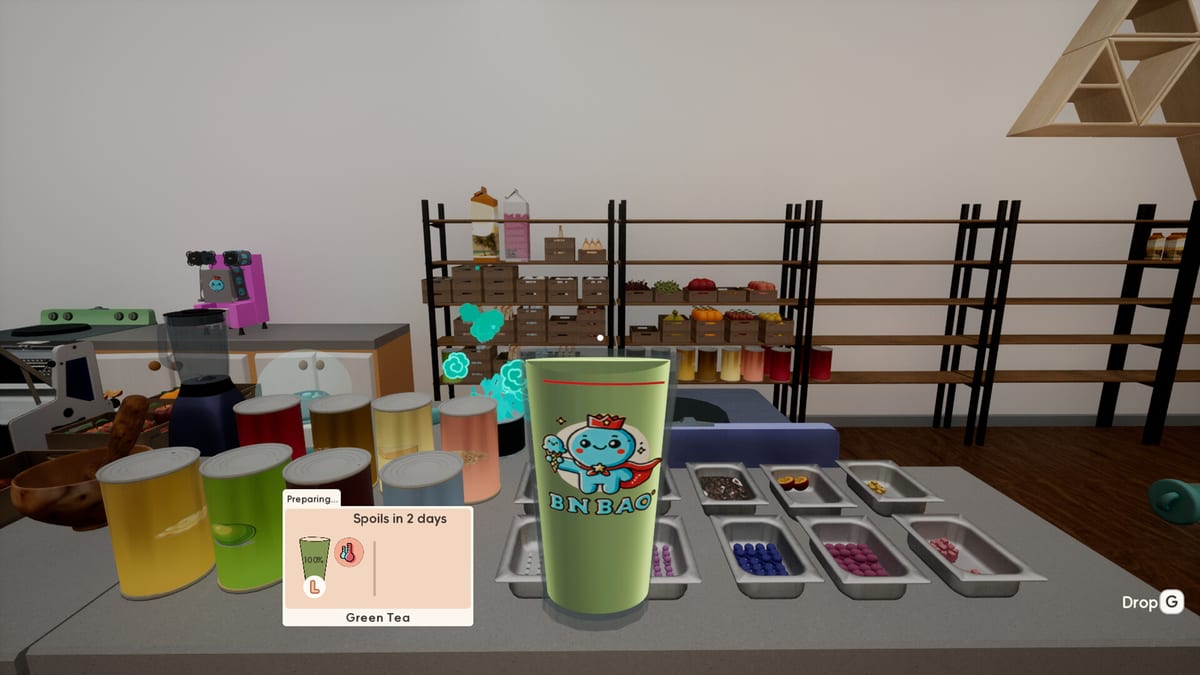
Boba Cafe Simulator launched on Steam July 24, 2026 from developer Caikemi and publisher Erabit. You are reborn as the manager of a milk tea shop in Sugarville, a district within Bingbao, and your goal is to grow from a single lemonade counter into a full-service cafe with deliveries, staff, and side activities. This getting started guide covers the first hours: controls, the in-game phone, pre-opening preparation, and the habits that prevent refunds when the lunch rush hits.
Choose difficulty and complete the tutorial
Start on Normal with the tutorial enabled. Higher customer volume creates more sales opportunities, but it also punishes mistakes before you understand why a drink failed. The tutorial introduces payment, cup labels, recipe stations, customization, and serving — follow it without skipping so you learn the full loop once.
After naming your shop and picking a sign design, organize supplied cup boxes in the organizer before opening. Identify where sugar, ice, purified water, sealing film, lids, thin straws, and wide straws live. Your first orders are simple enough to make one at a time; use them to practice attaching labels before adding ingredients.
Essential controls
| Action | Key |
|---|---|
| Interact / serve / inspect drink | E |
| Open phone (recipes, delivery, pricing) | B |
| End-of-day summary | Enter |
| Locate teammates (multiplayer) | Middle mouse button |
Press E at the counter to serve a finished drink or inspect a cup when something looks wrong. Inspection messages identify missing lids, wrong straws, or incorrect sugar before you discard liquid. Press B for the phone — the Recipes app lists active menu items, Enter closes the day and shows settlement, and middle mouse button pings co-op partners during shared shifts.
The daily service loop
A typical customer order flows like this: accept payment, take the correct cup size, print and attach the label, prepare the base recipe, apply that customer’s sugar and ice, finish with the correct lid or seal and straw, then press E to serve. Labels matter because three identical drinks on the menu can require different sweetness and ice levels.
Keep cups arranged left to right with the oldest order closest to your prep station. When the counter fills up, pause new payments until the queue clears. Unfinished orders at day end hurt popularity and can trigger refunds.
Prepare before you open
The strongest Boba Cafe Simulator players treat closed hours as production time. Check tea, coffee, fruit, milk, sugar syrup, ice, cups, lids, sealing supplies, and both straw types. Cook pearls and brew tea before listing boba. Grind coffee in advance. Discard spoiled ingredients before they enter a fresh cup.
Review the phone menu while the shop is still closed. A recipe you unlocked yesterday is not orderable until you list it today. Stock wide straws before activating pearl drinks and paper cups before hot recipes. Only power on machines you need — utilities add to daily expenses.
Phone apps and menu control
The phone is your remote control for the business. Recipes lets you toggle which drinks appear on the active menu, set cup sizes, and adjust prices within the happiness range shown. Takeout unlocks delivery platform contracts with different commission rates, subsidies, and durations.
Never assume unlock equals listed. Prepare ingredients first, then activate complicated recipes when your counter can handle them. A smaller reliable menu builds popularity faster than a long list of half-finished orders. See Perfect Drinks for inspection details and How to Make Boba when pearl prep becomes your bottleneck.
What unlocks next
Early progression adds coffee, boba, fruit juices, delivery bags, and shop decoration. Hire staff or invite friends via Co-op when dine-in and takeout overlap. Night Mode and Farming and Fishing appear as you advance — morning crops and evening fishing feed tomorrow’s menu while night markets offer exclusive goods.
Demo saves, Map app, and launch QoL
Official announcements confirm demo saves carry into the full game. After migrating, reopen the phone (B) and look for the full-release Map app plus bulk controls that put all recipes on sale or remove them all — useful after a chaotic unlock binge. End the day with Enter and scan the newer Other Expenses line so wages, utilities, and surprise costs stay visible. When the counter feels too thin, hire Staff or invite co-op friends before signing delivery contracts. Showcase cups belong in the Museum between rushes, not mid-queue.
Common beginner mistakes
Buying every appliance before understanding recipe requirements drains starting cash. Listing boba without cooked pearls creates instant failures. Mixing unlabeled cups during a rush produces correct liquid with wrong customizations. Accepting unlimited payments while prep falls behind guarantees a messy settlement screen.
Focus the first few days on consistent lemonade and coffee, restocking without panic, and learning inspection with E. Expand the menu only when shared supplies — sugar, ice, cups — survive a full rush without running dry.
Frequently Asked Questions
Quick answers for new and returning cafe managers.
What are the most important Boba Cafe Simulator controls?
E interacts, serves, and inspects drinks. B opens the phone for recipes and delivery. Enter shows the day summary. Middle mouse button helps find teammates in co-op.
Why do customers not order my new recipe?
Unlocking a recipe through progression does not list it on the menu. Open the phone Recipes app and activate the drink with the correct cup size before opening.
Should I prepare boba and tea before opening?
Yes. Pearls and brewed tea are slow steps. Cook pearls, fill the topping bowl, and stock the beverage dispenser before the first customer arrives.
How do I know why a drink failed?
Hold the cup and press E to inspect. The game shows which component is missing or wrong — lid, seal, straw, sugar, ice, or temperature.
When should I add delivery orders?
Sign a delivery contract through the phone Takeout app only after dine-in service feels stable. Deliveries add parallel bags and timing pressure.
Is co-op required to progress?
No. Solo play supports the full campaign. Co-op simply splits roles among up to eight online players and can replace some hired staff tasks.