Boba Cafe Simulator Early Menu Planner
Toggle planned listings and see when your menu outruns your counter.
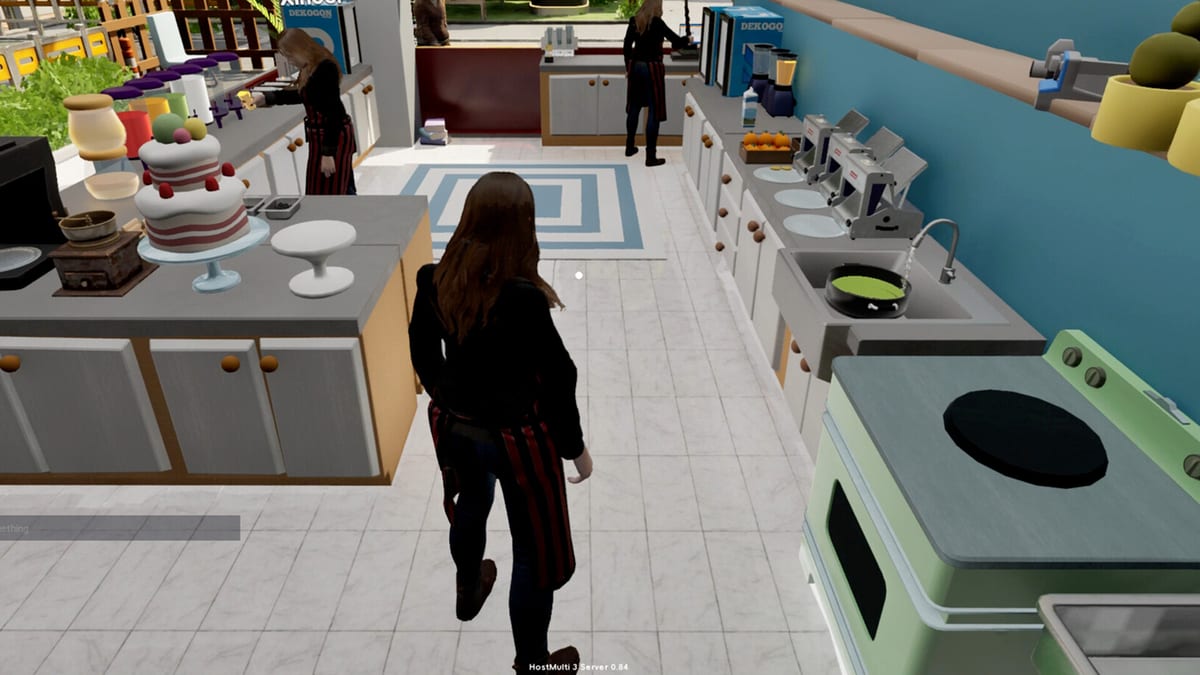
Listing every unlocked recipe is the fastest way to lose popularity in Boba Cafe Simulator. The phone makes activation look effortless — one toggle and customers can order — but each new drink adds stations, finishing supplies, and mental tracking during rush hour. This early menu planner helps you decide which cups belong on today’s board before you press B in-game and commit.
Use it alongside the Prep Checklist tool, Early Game Tier List, and the listing rules in Recipes hub.
What the planner measures
The planner estimates prep load from common opening recipes: lemonade, coffee, classic boba, and optional fruit or milk tea lines. It is not a profit calculator — see Profit Drinks Tier List for margin-focused rankings. Instead it answers a simpler question: can one person (or one co-op team) serve this menu with Perfect ratings?
Slow categories include pearl cooking, tea brewing, coffee grinding, fruit cutting, and hot-drink finishing. Overlapping slow categories on the same shift is when the planner warns that load is heavy.
Default safe menu
For solo players in the first week, a proven template is:
- Lemonade on — teaches labels and inspection
- Coffee on only when beans are ground pre-open
- Boba off until pearls and tea are batched
- Fruit drinks off until layout groups cutting near the sealer
That two-drink core matches S-tier guidance in the early tier list. Add a third listing only when yesterday’s settlement showed zero straw-related refunds and no unfinished orders at close.
Co-op menu planning
With partners online, the planner’s threshold rises — not unlimited, but higher. Assign pearl duty before toggling boba on. Assign delivery duty before enabling takeout-heavy sealed drinks. Middle mouse button teammate pings from Controls help when someone lists a drink without telling the group.
Co-op sabotage is a feature, not a bug, but planned menus reduce accidental sabotage from duplicate listings nobody stocked.
Phone workflow after planning
- Complete Prep Checklist items for every toggled drink
- Launch the game and press B
- Open Recipes — activate only what the planner approved
- Set cup sizes and prices inside the happiness band
- Open the shop
The planner component below is for browser-side planning. In-game listing always wins — if they disagree, trust what you actually activated on the phone.
Interactive menu planner
Toggle drinks below to see combined prep load. When the tool warns the menu is heavy, remove the slowest line — usually boba or fruit — before opening. Reset toggles between sessions when you test new layouts or co-op roles.
Early menu planner
Toggle drinks only when you can prep their slow steps. Aim for load 5 or less on day one.
Prep load: 0
Menu looks manageable for a new cafe.
Heavy load does not mean “impossible.” It means someone must own slow prep exclusively, or you should delist until expansion and Build improvements shorten travel time.
When to graduate beyond early planner
Move to manual menu discipline — still small, still Perfect-focused — when delivery platforms, seasonal events, and staff hiring multiply queues. At that stage combine Profit Drinks Tier List with end-of-day reports instead of this early toggle set.
Seasonal specials should enter the planner one at a time during their event window, then leave when demand drops.
Common planner mistakes
Listing boba without planner + checklist agreement — pearls still cooking when payments arrive.
Mirroring friend streams — creators run menus tuned to their layout and co-op size, not yours.
Ignoring weather — rain boosts takeout; planner toggles should favor sealed cold drinks and shrink dine-in-only lines.
Max prices on every toggled drink — happiness drops hurt volume; pricing lives in Recipes guides.
Related pages
- Tools hub — all interactive utilities
- Getting Started — full service loop
- Updates — patch changes to recipes or prep systems
- Review — launch context on 120+ recipes and tutorial depth
Plan small, serve perfect, expand deliberately — the planner exists to make that mantra clickable.
Frequently Asked Questions
Quick answers for new and returning cafe managers.
How many drinks should the early menu planner recommend?
Two or three active listings are ideal for solo early game. Add a fourth only after clean settlement days with no straw or pearl failures.
Does the Menu Planner set in-game prices?
No. It only models prep load from toggled recipes. Adjust prices in the phone Recipes app after you list drinks.
Why warn against boba and fruit together early?
Both add slow prep and extra movement. Overlapping pearl cooking and fruit cutting during the same rush causes late orders and refunds.
Can I use the planner for late-game seasonal menus?
The early planner focuses on core opening recipes. Use tier profit lists and settlement reports when seasonal or delivery menus dominate.
Does co-op change planner warnings?
Co-op raises capacity if roles are split, but warnings still matter when everyone lists new drinks without shared prep.